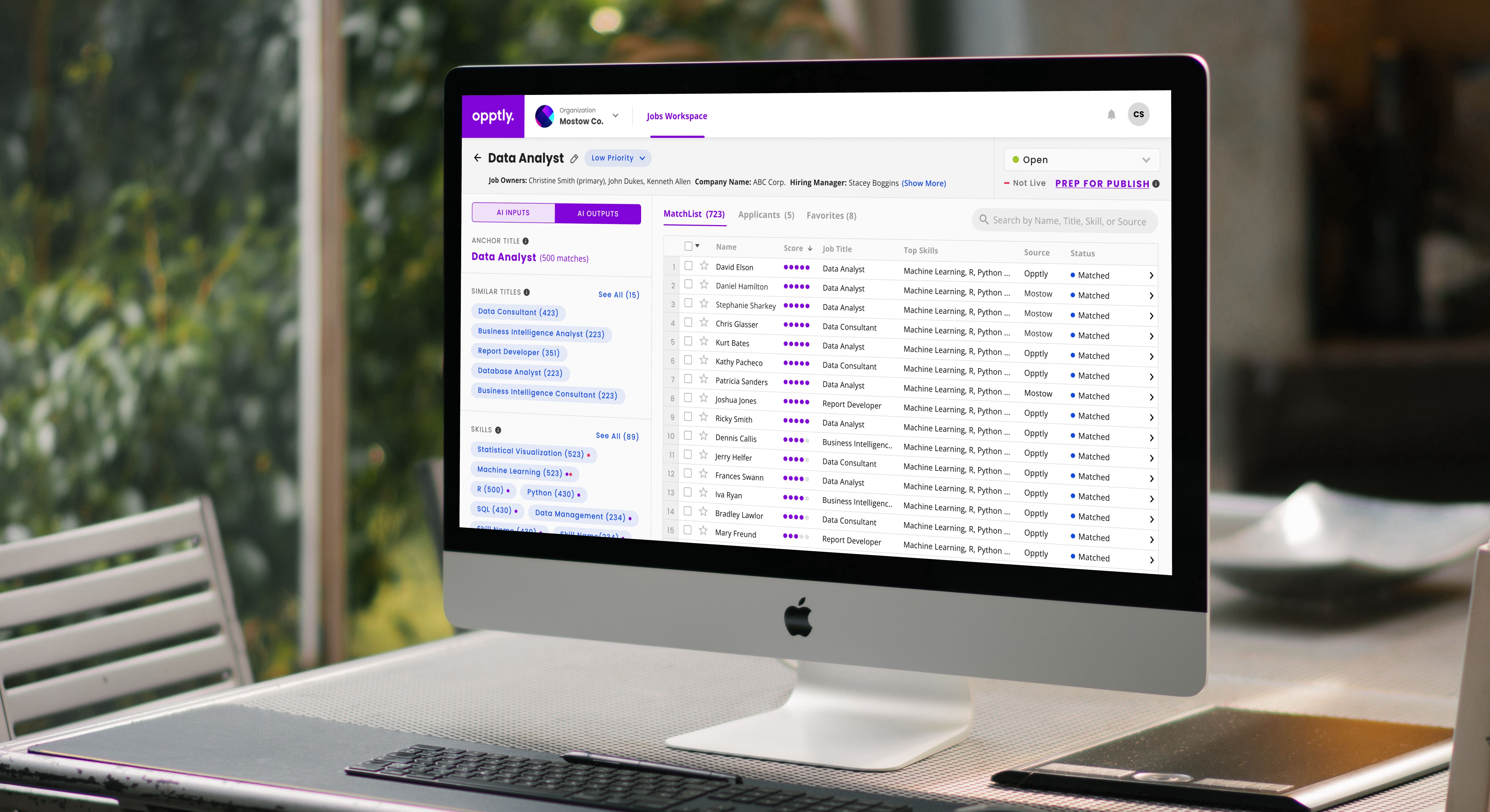
Opptly's goal is to match the right people with the right work at the right time. Their platform uses AI to modernize the way hiring companies and job seekers connect.
Sole UX Designer; worked with a team of developers, data scientists, and a PO to collect requirements and design the Curator platform MVP.
4 months (2023)

We wanted to prevent the AI from feeling like a "black box" to Curators, and instead create transparency so that the Curator felt empowered to impact the output of the AI.
Because the same data might be used to create a job, influence the AI, publish externally, and create a talent pool, we needed to clearly differentiate between each use case.
A curator interacts with multiple systems, including a CMS to track leads and a VMS to track jobs and applicants. We needed to define how our platform integrated within the existing flow.
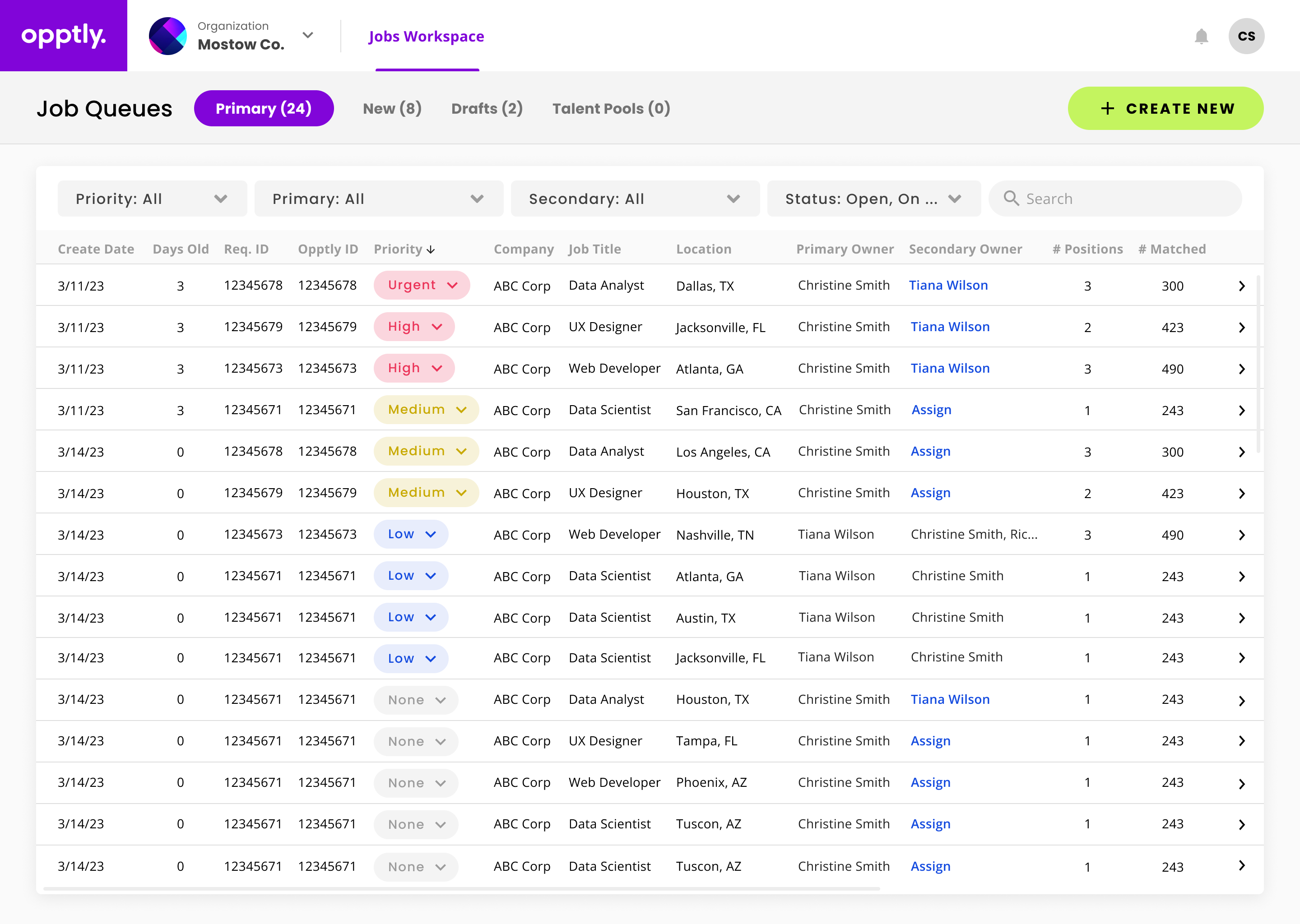
In the Job Queue, Curators can see the jobs that have been assigned to them, sorted by priority then requisition age. These jobs are both manually created and fed from an integration, so that Curators can see all jobs in one place.
We also separated the Queue into Primary, New, Drafts, and Talent Pools for easier access. The "Talent Pool" category functions as a "placeholder job," and addresses the Curator's need to preemptively create a candidate list for future needs.
In addition to a Job Creation flow that a Curator interacts with to manually create a job and enter job details, Curators will also enter AI inputs in the left-hand panel, which consists of the location, job description, success profile, and skills.
The Job Creation was split into two steps so that the Curator can differentiate between AI inputs and non-AI inputs. They can view and edit the non-AI job details in the content bar at the top of the screen.

After the match list is run, Curators will see a list of candidates that match their criteria. Tooltips reveal information about how the AI works:
First, it defines an “anchor title” based on the AI inputs. Then, it identifies similar titles and skills. Candidates are found accordingly.

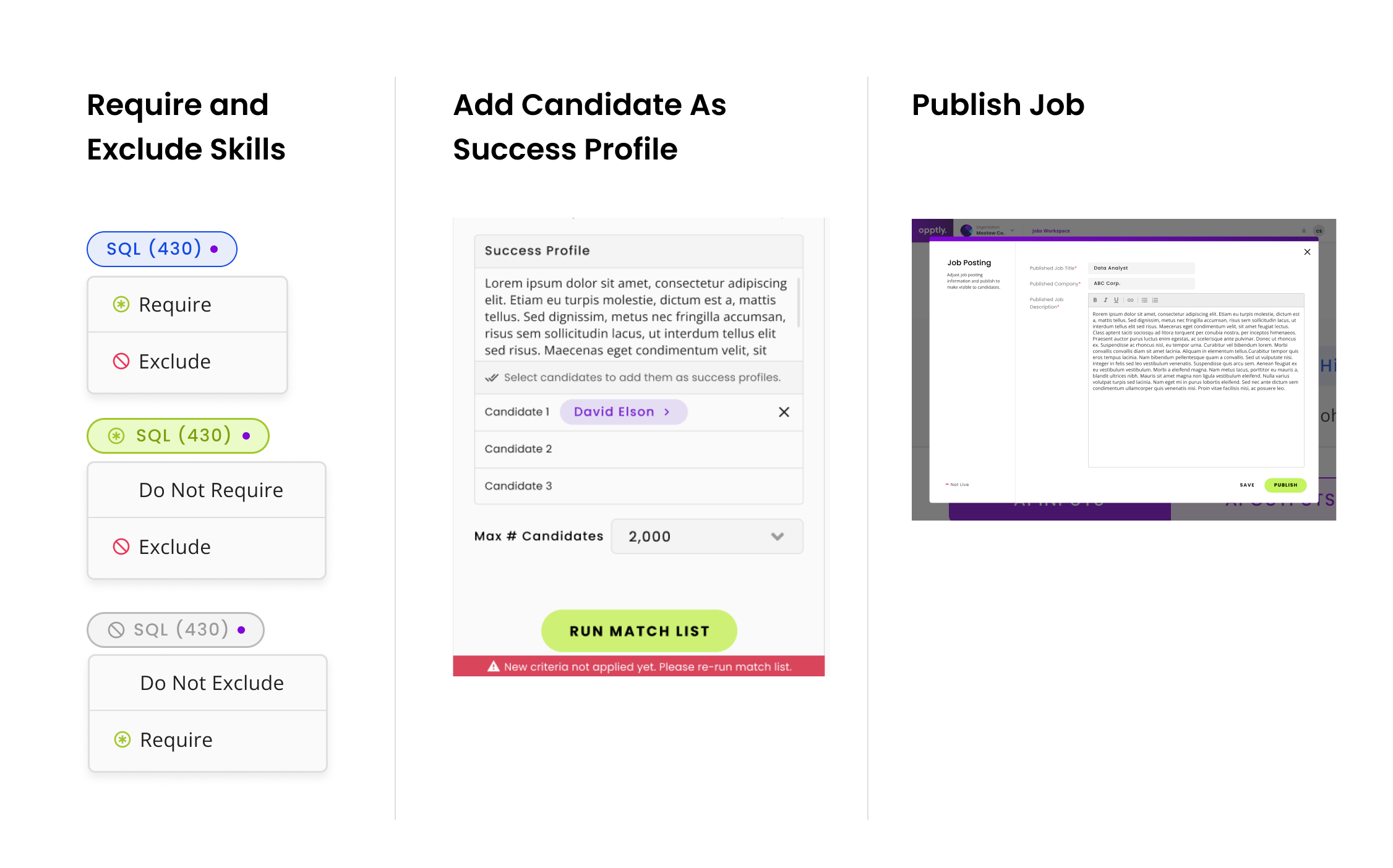
On the Match List, a Curator can also require and exclude skills, which will re-sort the Match List. They can add a candidate as a success profile, which will teach the AI to find similar candidates. They can also publish the job to the Candidate app, as well as push candidates to the CRM, submit candidates to the VMS (resume required), and favorite candidates.
The Candidate Profile slides in from the right when a candidate is clicked on. Here, Curators can attach a resume, see the candidate’s imported resume, and view a skills analysis that identifies the candidate’s matching skills, AI-inferred skills (based on other skills), and the unrelated skills, when compared to the job req.

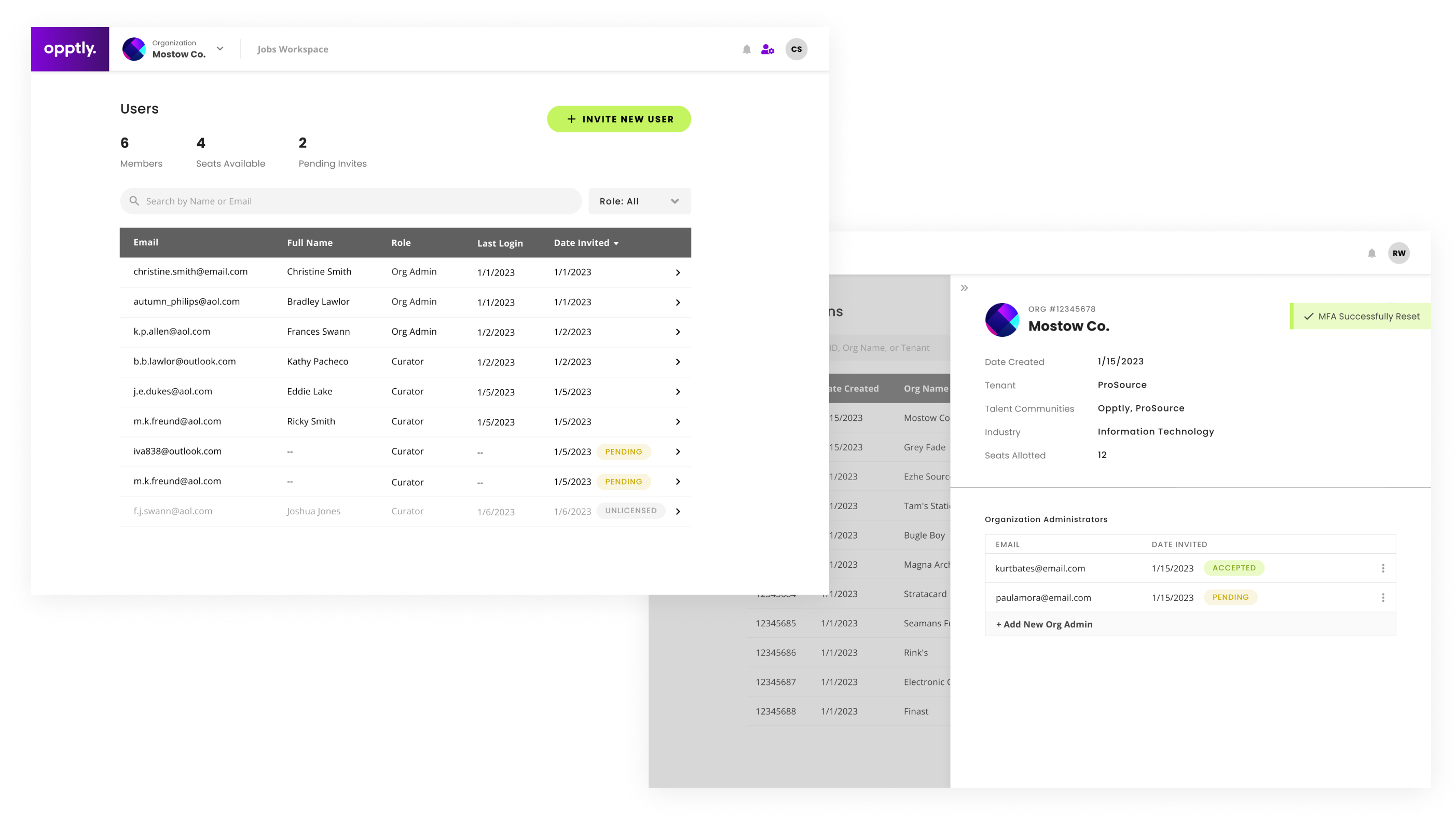
Admin Consoles were also created for the Org Admin and Platform Admin, where users can be invited and seats allotted.
"Given the context of what our competitors have....nobody could touch us from an interface standpoint...from a UI perspective, this is amazing.”
“These screens are just incredible.”
Please contact me for a more detailed readout of my process and the features.
Thank you for reading!